Register an Account
This guide will walk you through the GoMami account registration process.
Registration Steps
1. Visit the Registration Page
Go to gomami.io/register.php to see the registration form.
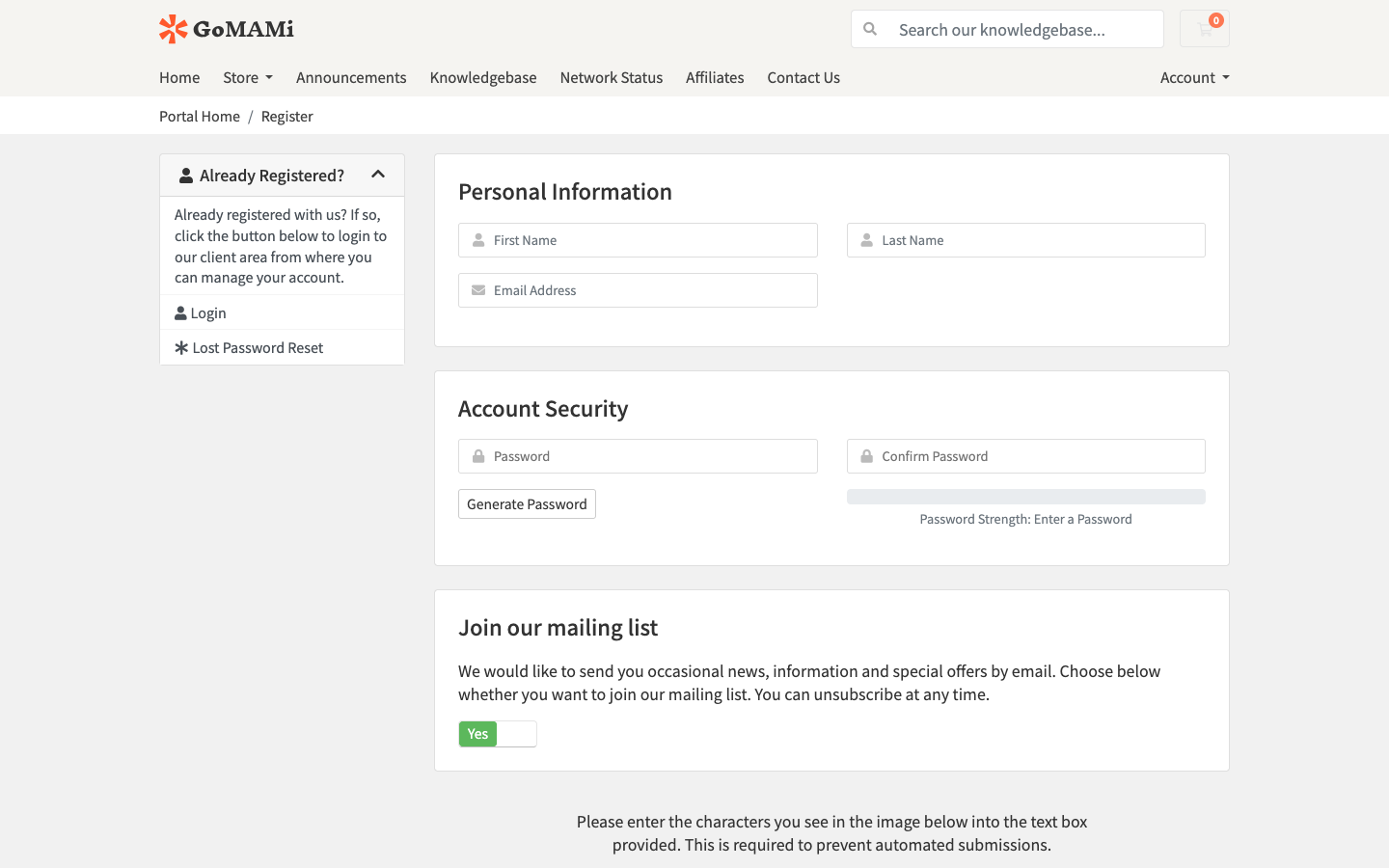
2. Fill in Personal Information
In the Personal Information section, fill in the following:
| Field | Description | Required |
|---|---|---|
| First Name | Your first name | Yes |
| Last Name | Your last name | Yes |
| Email Address | Used for login and notifications | Yes |
Make sure to use a valid email address — it will be your login credential and used for server notifications and billing.
3. Set Your Password
In the Account Security section:
- Enter your password and confirm it
- Or click Generate Password to auto-generate a secure password
We recommend using a strong password with at least 12 characters, including uppercase, lowercase, numbers, and special characters.
4. Mailing List (Optional)
You can choose whether to join GoMami's mailing list for product updates and promotions.
5. Agree to Terms of Service
Check I have read and agree to the Terms of Service, then click Register.
Email Verification
After registration, you'll be redirected to the email verification page. You need to verify your email address to use all features.
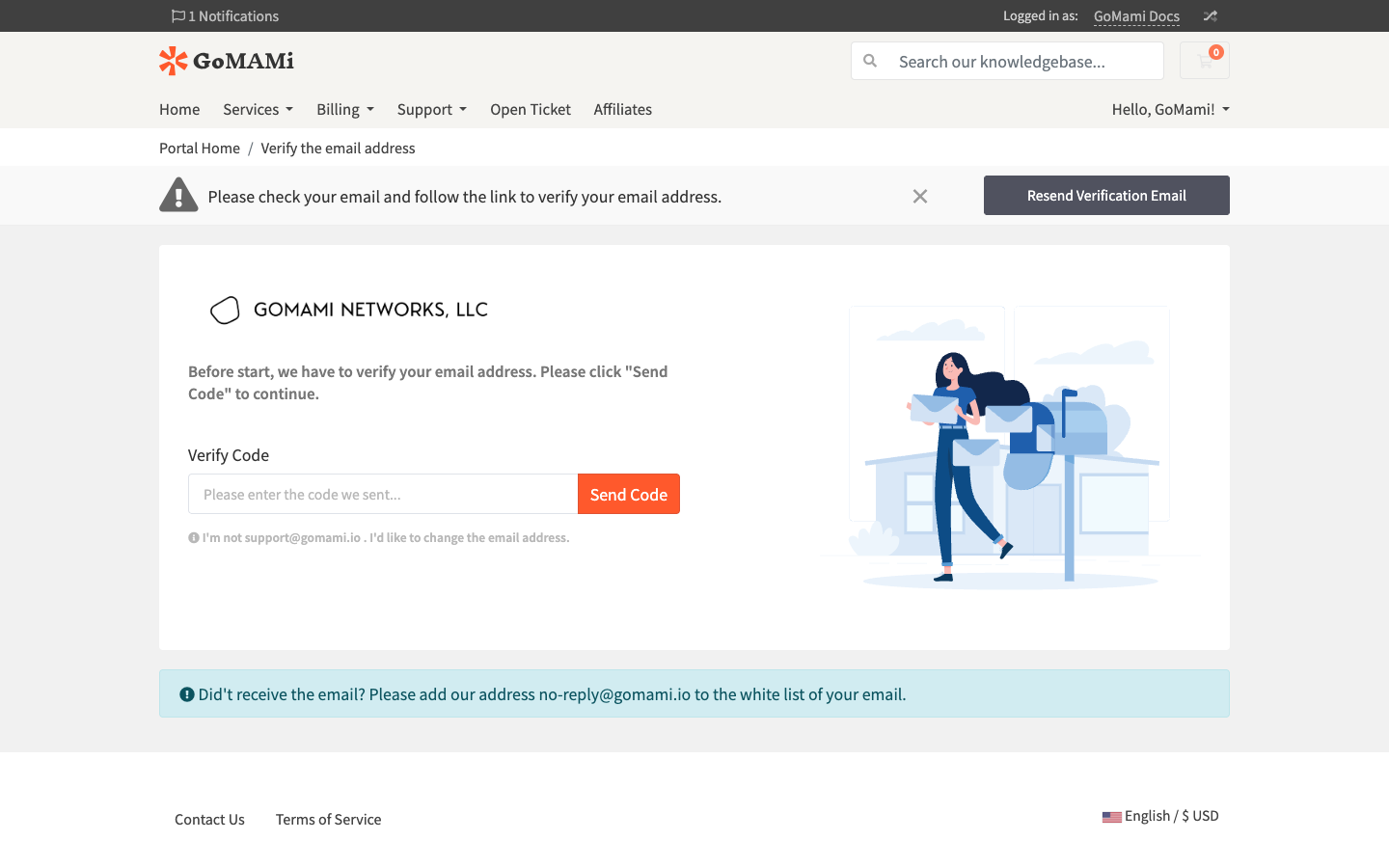
1. Send Verification Code
Click the Send Code button. A verification code will be sent to your registered email.
2. Enter the Code
Enter the verification code in the Verify Code field to complete verification.
If you didn't receive the verification email, please check your spam folder and add no-reply@gomami.io to your email whitelist.
3. Need to Change Your Email?
If you entered the wrong email address during registration, click the I'm not xxx@xxx . I'd like to change the email address. link to go to the change email page.
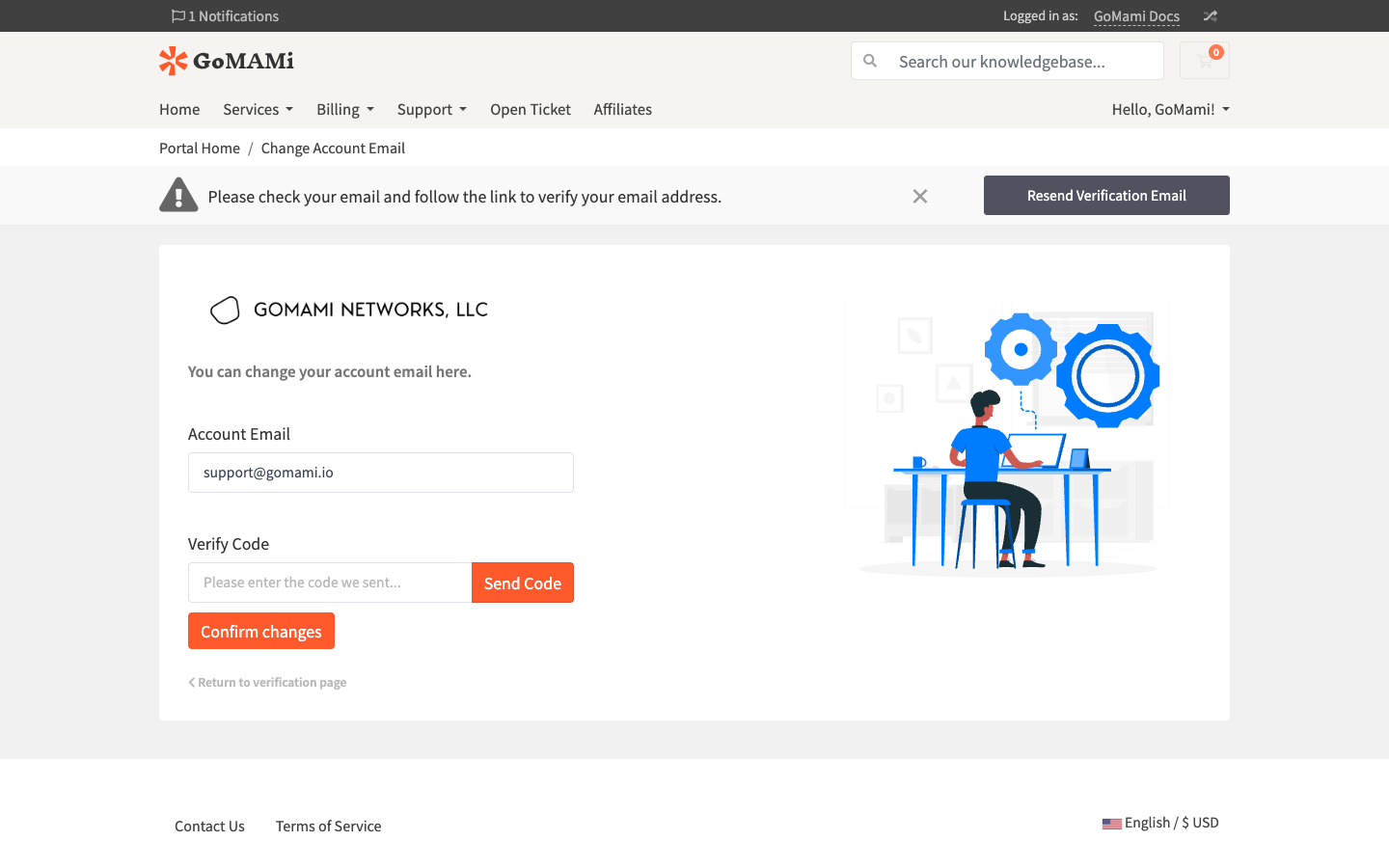
On the change email page:
- Enter your new email address in the Account Email field
- Click Send Code to send a verification code to the new email
- Enter the code and click Confirm changes
Click Return to verification page to go back to the original verification page.
Registration Complete
After email verification, you'll have full access to the client portal and can start purchasing your first VPS.