Payment Methods
GoMami supports multiple payment methods for your convenience.
Available Payment Methods
| Payment Method | Description |
|---|---|
| Credit Card | Processed via Stripe, supports Visa / Mastercard and other major credit/debit cards |
| Stripe Alipay | Alipay integrated via Stripe, supports CNY payments |
| Crypto | Supports USDT and other major cryptocurrencies |
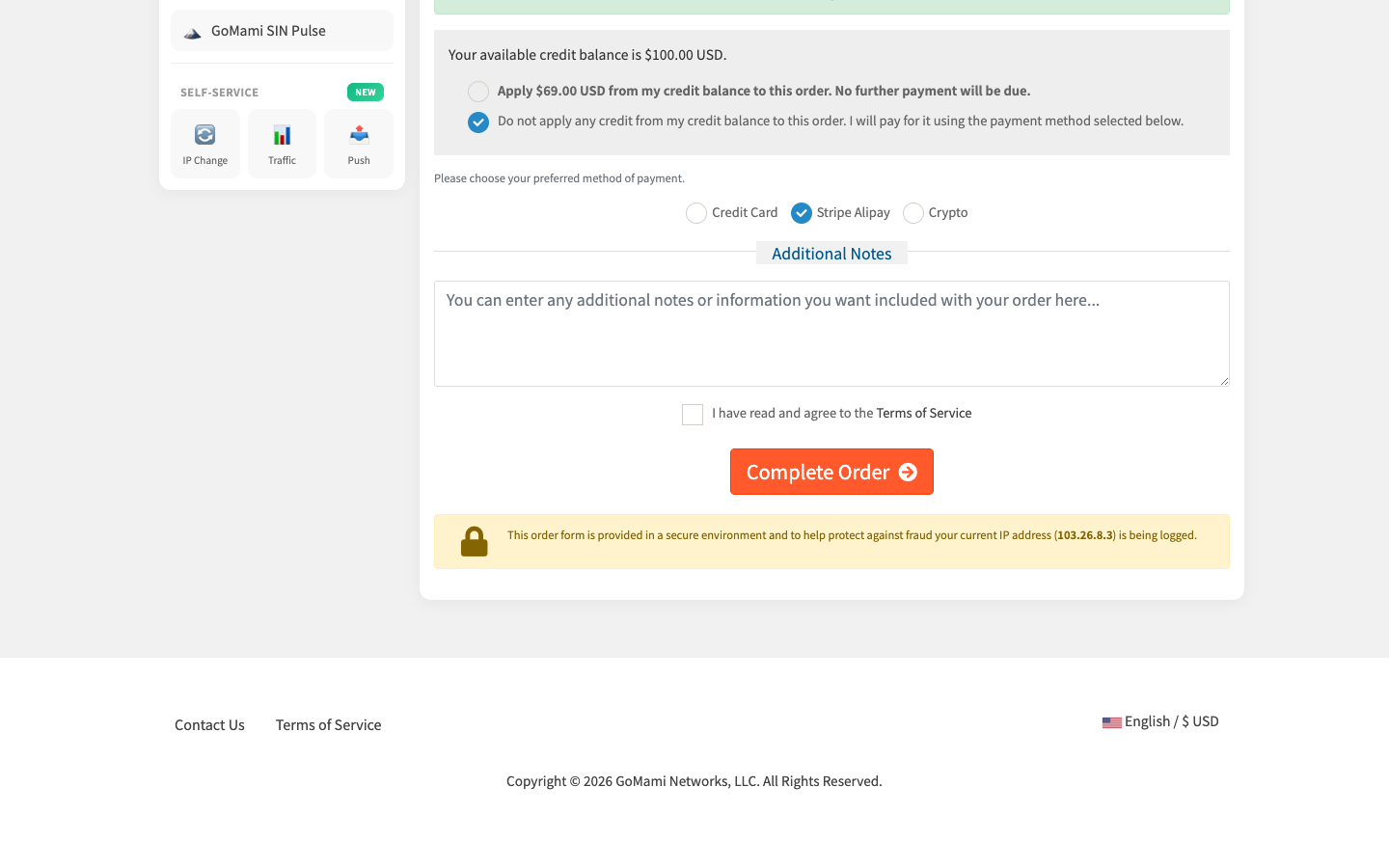
Account Credit Balance
You can pre-fund your account balance and use it to pay for orders at checkout:
- If your balance is sufficient, select Apply credit balance to this order and no further payment is needed
- You can also choose not to use your credit balance and pay with one of the payment methods listed above
To add funds:
- Log in to GoMami
- Go to Billing > Add Funds
- Enter the amount
- Choose a payment method to complete the deposit
tip
Pre-funding your account balance ensures automatic renewal payments, preventing service interruptions due to missed renewals.
Payment Process
New Purchases
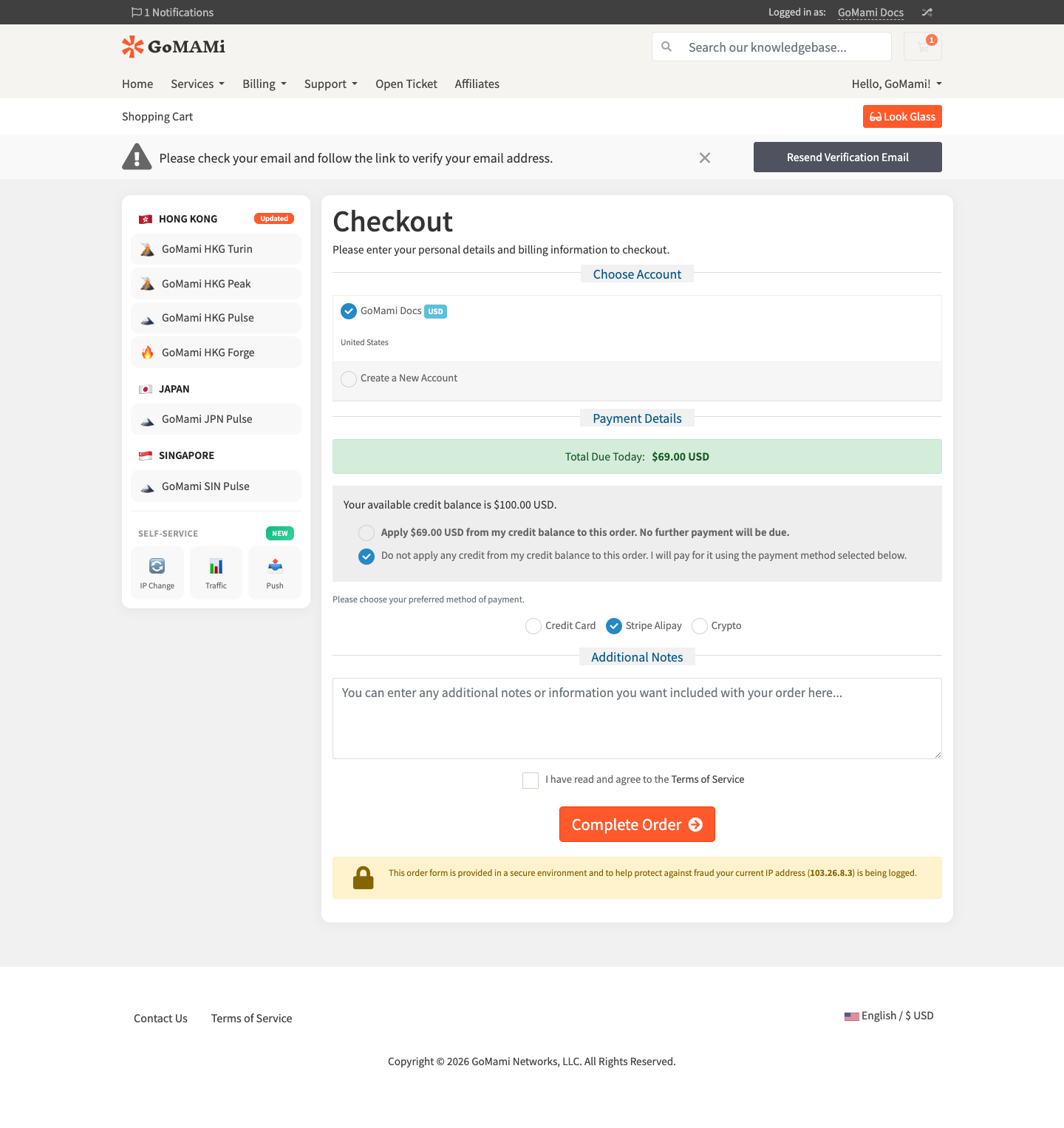
When purchasing a product, the checkout page will display payment method options:
- Review the order amount in the Payment Details section
- If you have account credit, choose whether to apply it
- If paying by other methods, select from Credit Card / Stripe Alipay / Crypto
- Check I have read and agree to the Terms of Service
- Click Complete Order to finalize payment
Renewal Payments
- Go to Billing > My Invoices
- Find the unpaid invoice and click Pay Now
- Select a payment method to complete payment
- Service will be automatically renewed upon successful payment
Invoices
If you need an invoice, please contact our support team via ticket system with:
- Company name
- Tax ID
- Invoice amount
- Contact information
Payment Issues
If you encounter a payment failure, please check:
- Sufficient balance in your payment account
- Credit card is enabled for international transactions
- Browser is not blocking payment pop-ups
- Try a different payment method
If the issue persists, please contact us.
Next Steps
- Billing Overview - Learn about billing models
- Refund Policy - Understand refund rules